Context
HuskyADAPT (Accessible Design and Play Technology) is a University of Washington program. It had given a design team to a fourth-grade student in Seattle Public Schools with a neuromuscular condition. The movements he could control were slight, and his best finger movements were in his left hand. Computer keyboards, even specialised adapted ones, wouldn’t register the force his fingers could apply.
A HuskyADAPT team had already set him up with the Penti, a chorded keyboard app on a touchscreen. Instead of pressing keys, he placed several fingers on the screen at once, and each combination entered a letter or command. With it, he could use a computer, and he wanted to become a computer scientist.
I joined as a volunteer, working with the school’s occupational therapist. It was my first accessibility project, and the start of the work I’ve done since.
The challenge
The Penti worked, but it was hard to use and hard to learn:
- It gave no tactile cue for where to put his fingers, and it needed more accuracy than he could reliably manage.
- Learning it meant memorising a whole new alphabet of finger combinations. That’s hard, repetitive work, especially for a child.
The goal was to help him communicate more easily: fix the usability gaps, and make learning the chorded alphabet something he’d want to do.
What I did
- Researched his abilities and what motivated him, with the occupational therapist.
- Designed a finger guard that gave the Penti a tactile guide.
- Built Space Defender, a training curriculum inside a space game, with a cooperative mode for playing with a friend.
- Tested and adjusted the game with him, and built a website so his school team and family could support him.
- Moved into a program manager role to lead a team of eight computer science students on a third phase: arm support and trackpad access.
- Proposed a follow-on project: an augmentative and alternative communication (AAC) app, shaped by onsite research with a local assistive technology organisation.
Starting with what he could do
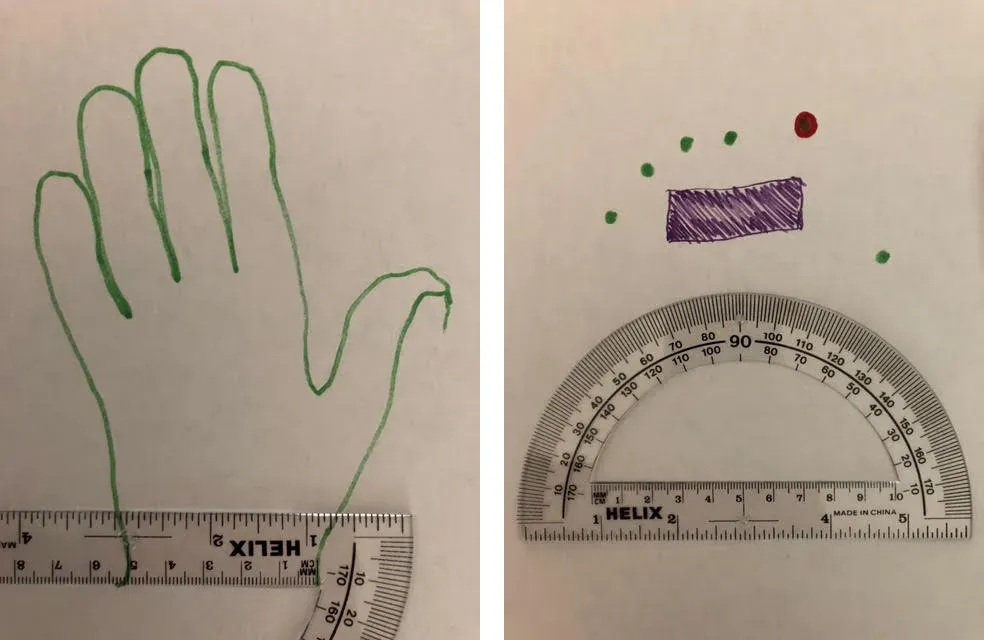
In sessions with the student and the occupational therapist, we measured his abilities, including his range of motion, and watched him use the Penti. Two gaps came out of it: nothing told his fingers where to go, and the app needed more placement accuracy than he had.
I tested an alternative, a wearable keyboard called the TAP Strap 2. It solved both gaps, but it needed more force to trigger than he could produce, so the Penti stayed.
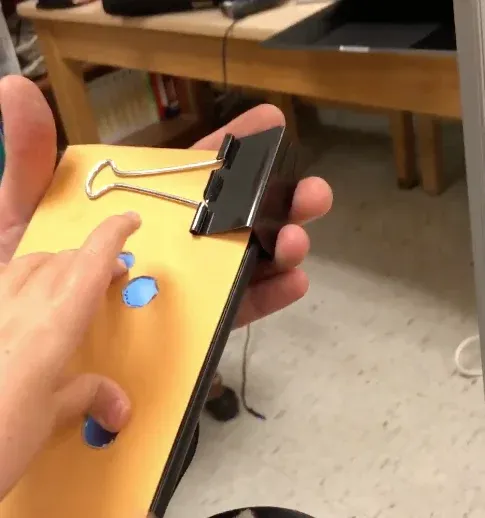
A finger guard
I prototyped with paper and markers, and landed on a cardstock overlay for the screen, with a hole for each finger. It gave him something to feel and guided each finger into place. In testing he could type without looking at his hand, and more accurately.
Space Defender
Before designing the curriculum, I asked what he loved. The answer was outer space. So the lessons became missions:
- Launch codes are chords. Each asteroid carries a code, and typing that finger combination fires a torpedo at it.
- Missions get harder step by step. An introduction comes first, then lessons ordered by the complexity of the combinations they train, raising both the motor and the memory challenge gradually.
- A friend can play too. A second player controls a backup electromagnetic pulse (EMP) that protects against asteroids. Missions succeed when both players work together, so practice became a reason to play with friends.
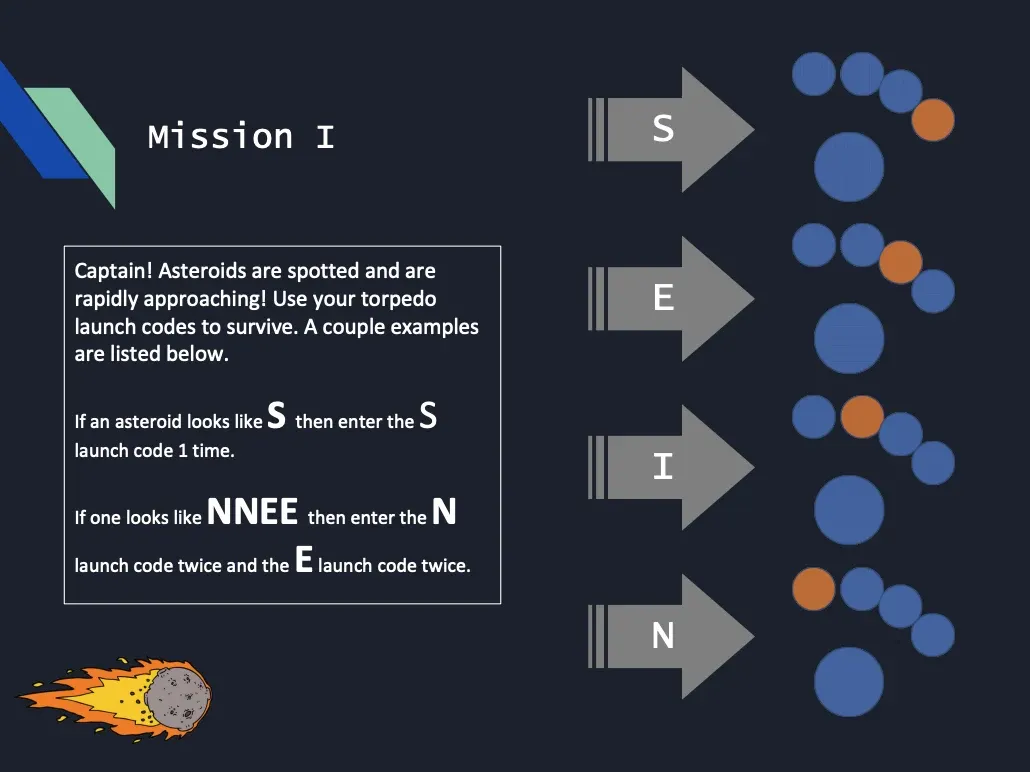
The game was an adapted open-source game, not one I built from scratch. I studied how the Penti’s input worked with it, and recorded a tutorial video for him.
Testing and adjusting
Early sessions showed the asteroids were too fast, so I slowed them down. I also made the friend’s EMPs unlimited by injecting a small piece of JavaScript into the game at runtime.
To help the adults around him, I built a website with instructions, videos on setting up the device, and guidance on playing.
Leading the next phase
For the third phase I became the program manager. I led eight UW computer science students and acted as the liaison between them and the occupational therapist. The goal was to improve how his typing hand was positioned, and to make his trackpad easier to use.
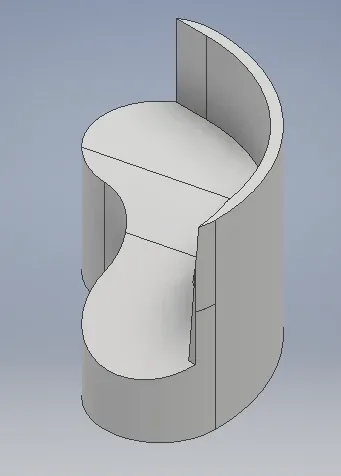
Over three in-person sessions we tested hand positions. His trackpad was hard to reach without help, while software options on the same Android device gave him more independence. The students modelled an arm support in AutoCAD, ready for 3D printing.
Proposing an AAC app
I proposed a new project to HuskyADAPT: an AAC app to help him communicate his most common phrases quickly, in class and at home.
The proposal also looked beyond one student. Adding a second input device, with one set of input modifying the other, would give more speed and more input options. It could help anyone with limited controlled movement, using fingers on either hand or other parts of the body.
To ground it, I shadowed and did onsite research with PROVAIL, a local assistive technology organisation. What I saw there shaped the next steps.
Impact
- The finger guard worked. He could type without looking at his hand, and more accurately.
- The game motivated him. In the occupational therapist’s words, Space Defender “now inspires our fourth grader to learn an alphabet of finger combinations”.
- It became part of his routine. His teachers and family were working to add it to his schedule, with the website to guide them.
- The third phase stopped short. COVID-19 halted the in-person work the arm support needed. The team did build relationships and research findings that could support future projects.
What I’d do differently
I’d plan for disruption to in-person work from the start. The arm support depended on sessions with the student that we couldn’t run once COVID-19 hit, and there was no remote path to fall back on. Planning a remote fallback early would have given the third phase a way to keep moving.